
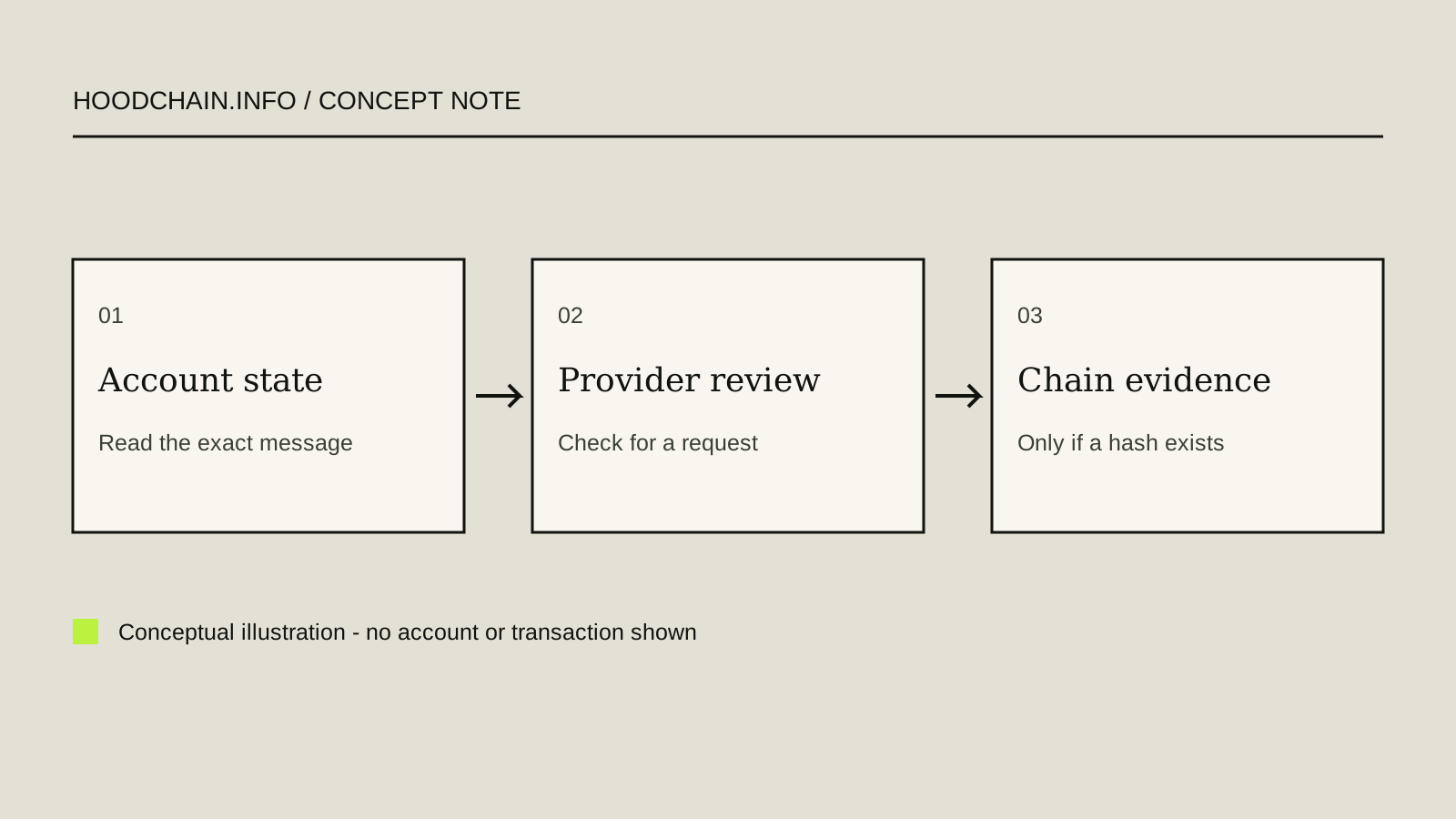
A disabled action does not reveal the cause
Start with what you can observe: the product or account area, region, exact in-app message, the action that is unavailable, and whether the app shows a request for information. A disabled Buy, Send or Withdraw control is evidence of a limitation in that workflow; by itself it does not tell you why it happened, when it will end, or whether a blockchain transaction exists.
This guide uses dated official help examples. It cannot inspect your account or determine an individual cause. Do not try another account, region, network or route to evade a restriction, and do not repeat a transfer while its state is unclear.
1. Identify the service before interpreting a message
“Robinhood” names multiple products and entities. An investing or brokerage account, Robinhood Crypto account, Robinhood Wallet and Robinhood Chain are different systems. A Wallet key issue is not an account login issue; a Chain receipt is not an account restriction notice.
- United States: the US investing-account restrictions page lists examples including bank-transfer reversals, incorrect or outdated information, fraud inquiries and account levies. It specifically says a restriction on a Robinhood Financial account that blocks stock buys also blocks Crypto buys until lifted; its footer names Robinhood Financial LLC and Robinhood Crypto LLC as separate services. The separate US Crypto transfer guide describes eligibility and identity review for crypto transfers. This documented link between one type of Financial restriction and Crypto buys does not mean every account restriction affects every Crypto action, Wallet or Chain.
- European Union: the EU account-restrictions page lists incorrect or outdated account information and fraud inquiries as possible reasons and directs users with questions to support. It does not establish the reason or resolution time for an individual account or crypto workflow.
- United Kingdom: these US and EU restriction pages do not document the UK provider’s process. Check the current UK service and its own official help in the app or on Robinhood’s UK support site; do not carry over a US flow.
These are source-scoped examples reviewed 26 October 2026, not an exhaustive or permanent product matrix. Account and feature eligibility can differ by location and service.
2. Sort the evidence into three different states
- Account-level restriction: an account page or action displays a restriction, or the provider requests account information. Preserve the exact wording and the affected product/action. Only the provider can explain an account-specific reason or next step.
- Transfer access or identity review: the US Crypto help says a review may be needed to enable transfers. It says this verification is normally quick but can take up to five business days. That estimate applies to this described US transfer-access review only; it is not a deadline for all account restrictions, a pending transfer, a Wallet recovery or an onchain transaction.
- Onchain transaction state: a public transaction hash, if one already exists, may show whether a transaction was broadcast and what the chain recorded. No hash means this guide has no onchain evidence. A chain receipt cannot reveal an account’s internal eligibility or prove that a receiving provider credited the account.
For a transfer-stage diagnosis, use the pending-or-failed transfer guide. For a missing display or credit, see the missing-balance diagnosis. Those guides also separate provider records from chain evidence.
3. Check only the observable fields
- Open the official app or reach support from a domain you typed or independently verified; do not follow an unsolicited “unlock” link.
- Record the product, region and action involved: account login, buy, crypto transfer, Wallet, or bridge/Chain.
- Copy the exact status or message privately. Note whether the page names an outstanding request, what document or confirmation it asks for, and whether the action is disabled, pending or available.
- If the sender already supplied a public transaction hash, keep the network and timestamp with it. Do not create a transfer or invent a hash to make a support report look complete.
- Follow only the steps shown in the verified product flow. If a request is unclear, stop and ask support through the official app/site. Do not send identity documents through email, chat or a link that was not requested by the verified service.
Do not infer “fraud,” “compliance hold,” “network failure,” or a specific cause from a generic restriction banner. Do not resubmit the same transfer or repeatedly submit documents unless the official account flow explicitly asks for a correction.
Fictional exercise R-01
Invented example; no real account, person, request ID, address, hash or screenshot. “Practice Account A” in a hypothetical US Crypto workflow shows “Crypto transfers unavailable while we review your information.” The page also shows “Information requested.” No transaction hash is provided. Separately, a fictional friend says “the blockchain is holding the account.”
Classify what is known, what is unknown, and the safe next check.
Show the worked answer
- The only evidenced state is a provider-side transfer-access/identity review because the fictional page shows an information request. No onchain broadcast is evidenced because there is no hash.
- The friend’s blockchain explanation is unsupported. The message does not identify an account-level cause, and it does not establish a Chain failure.
- In the US source snapshot, this review is normally quick but may take up to five business days. This is not a universal deadline. The safe next check is the outstanding request in the official account flow and any provider instructions there. Do not duplicate the transfer, evade the review or send documents elsewhere.
4. Stop at the boundary of the evidence
Robinhood’s help pages describe provider processes; we did not access a live account, submit documents, test a restriction, send funds or query a chain. A source page cannot confirm your current account state. If the message and the official account request conflict, stop and ask the relevant provider. If a public hash already exists and the question is network inclusion, use the correct network’s official explorer documentation; do not treat that as an account-eligibility check.