
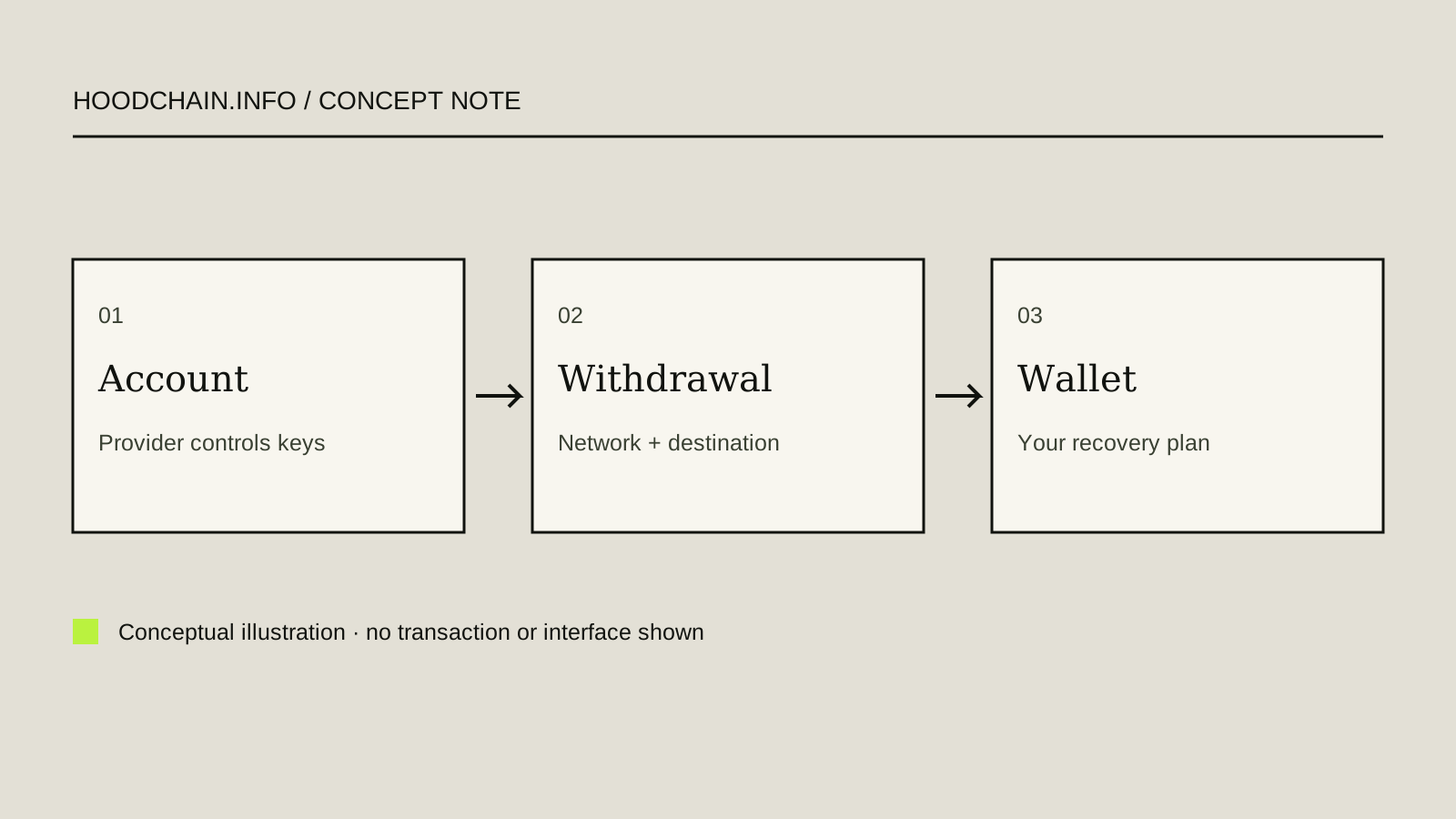
The key question is who can authorize an onchain action
In a custodial account, a provider controls the signing keys for the crypto it holds and records the customer’s position under the applicable account terms. You sign in to the provider’s service, but that login is not the blockchain private key.
In a self-custody wallet, the wallet user controls the signing authority—often through private keys derived from a recovery phrase or another documented recovery design. That changes who can authorize actions and who must preserve recovery access. It does not remove market, contract, network or fraud risk.
A displayed balance, app password, device unlock, recovery phrase and private key are different things. Never disclose a password, recovery phrase or private key here or to anyone asking for it.
Custody depends on the product, entity and region
Robinhood products with a similar app surface can use different custody models. The following statements reflect the linked support documents checked 26 October 2026:
- United States — Robinhood Crypto: the US transfer documentation describes Crypto-account balances and transfers. It is a custodial provider service; it does not hand the customer the provider’s operational signing keys.
- United States — Robinhood Wallet: Robinhood’s Wallet FAQ says Wallet is a separate self-custody product operated by Robinhood Non-Custodial, Ltd., separate from Robinhood Crypto, LLC. The Wallet user controls the wallet keys. These documents are US support pages and do not establish that the same product or recovery method is available to every country.
- United Kingdom — Bitstamp by Robinhood: Robinhood says UK crypto services in its app are provided by Bitstamp UK Ltd, an FCA-registered crypto-asset exchange and custodian-wallet provider. This identifies the provider; do not infer US or EEA account terms from it.
- Europe — account-specific custody: Robinhood’s Europe transfer support says customer crypto is held in wallets controlled by Robinhood Europe, UAB or Bitstamp Europe S.A., depending on the account, and customers do not receive private keys to those addresses. The page notes account/provider differences; check the actual account’s current entity and terms.
A provider’s custody statement does not guarantee solvency, recovery, access, asset value or compensation. A self-custody label likewise does not mean a wallet has been audited or that a network is supported for every asset or action.
Device recovery is not account recovery
A password or account recovery process can restore access to a provider account, subject to that provider’s process. It cannot automatically recreate keys for a separate self-custody wallet. Robinhood Wallet’s US documentation says the user is responsible for its keys and backups; Robinhood Crypto support cannot recover the Wallet user’s lost recovery phrase. The Wallet help page describes manual, iCloud and Google Drive backup choices for that product. These are product-specific options, not universal wallet behavior.
MetaMask documents more than one setup model. In its phrase-backed setup, the Secret Recovery Phrase is used for wallet recovery, while the app password unlocks a local instance. Its documentation also describes a separate social-login setup where encrypted phrase shards are accessed with the linked account and MetaMask password. Recovery therefore depends on the wallet’s actual setup and current version—not on a generic rule that every wallet uses the same backup.
Never reveal, paste, screenshot or send recovery words or private keys. A support agent should not need them. This guide contains no real recovery phrase and asks you not to enter one anywhere.
Compare documented tasks, networks and recovery boundaries
| Question | Robinhood Crypto account | Robinhood Wallet | MetaMask |
|---|---|---|---|
| What task does the cited documentation describe? | Provider account holdings and supported deposits/withdrawals through the applicable Crypto service. | Self-custody app to store and manage crypto across networks listed in its support documentation. | Self-custody wallet client for managing keys and assets and interacting with dapps; the exact feature set depends on product setup. |
| Who controls signing? | The service provider controls custody for assets it holds; the customer account login is not the provider’s private key. | Wallet user controls the keys, according to Robinhood’s US Wallet documentation. | MetaMask documents user-controlled key/recovery models; it describes separate phrase-backed and social-login arrangements. |
| What network evidence is documented? | Supported asset/network pairs are action- and account-specific; check the current transfer flow. | The US Wallet help page lists Bitcoin, Ethereum, Solana, Dogecoin, Robinhood Chain, Arbitrum, Polygon, Optimism, Binance Smart Chain and Base for the described Wallet product. | Its current Networks help page lists available networks, including Robinhood Chain, and distinguishes pre-enabled/additional/custom networks. A wallet listing does not prove an asset or service is available on Robinhood Crypto. |
| What should a user verify? | Entity, account type, transfer support, and the provider’s current account-recovery process. | That the product and network are available to the user; which backup method was configured; and whether the user can access that backup, without exposing it. | Which setup model and app version are in use; the associated recovery route and network support. The cited documentation does not make a cross-wallet compatibility or security guarantee. |
MetaMask’s official documentation is used here only for this bounded product comparison. The pages reviewed do not provide a like-for-like app-build version matrix for Robinhood Wallet and MetaMask; feature lists can change. Do not treat this table as an audit, endorsement or ranking.
Importing a wallet is different from transferring an asset
Concept only: no wallet was opened, connected, imported or tested, and no phrase, key, address, funds or signature is shown or requested. In a self-custody wallet, importing or restoring a compatible wallet means another wallet app uses the same underlying signing authority and associated accounts. The existing onchain assets and transaction history do not move just because an app interface changes. Robinhood’s US Wallet help page describes importing an existing supported wallet using its recovery phrase; this is a product-specific description, not a claim that every wallet, chain or asset is compatible.
Importing changes which software instance can access the same authority; it does not create a new onchain transfer or a second independent wallet. Giving another app access to the same keys can increase the places where those keys may be exposed. A device backup or Robinhood account login is not itself a wallet import, and neither proves that a separate self-custody wallet can be recovered.
An onchain transfer is different: an authorized sender submits a transaction that moves an asset from one address to another address on a selected network. It changes the asset’s onchain location and normally requires the sender’s authorization and network fee. The receiving address and network must be compatible; a wrong destination, network or required memo can cause loss. Robinhood’s US Crypto transfer documentation says transfers are final and cannot be canceled or reversed once sent. That statement is scoped to the described US Crypto service; it is not a claim that every provider has identical procedures.
MetaMask’s current help page says that, for its documented import flow, assets remain onchain while the user changes the app used to access them. That statement is about MetaMask’s described wallet import, not a universal guarantee about every wallet implementation. In either model, a login/device recovery question and a wallet-key recovery question are distinct.
Fictional decision check
Invented scenario; no real wallet, address, recovery material or transfer. Lee has a self-custody wallet visible in App A and is considering App B. If the intended result is to view the same wallet authority in another compatible app, that is conceptually an import/restore question: verify the product’s official compatibility and recovery documentation, and never share or type secret material because of this exercise. If Lee instead wants an asset to arrive under a different recipient’s control, that is conceptually a transfer question: the sender, destination, network, fee and irreversible-transaction risks are different. A Robinhood account password or a phone backup alone answers neither question.
For Robinhood Wallet, the linked support page covers its US product and listed networks as accessed 26 October 2026; it does not establish availability or recovery behavior in every region. Robinhood’s US Crypto transfer page covers that provider service and warns about finality and network/address mistakes. MetaMask’s source describes MetaMask’s own import behavior only. Do not test either concept with funds or secrets.
Review the Robinhood Wallet documentation, US Crypto transfer documentation, and MetaMask import guidance directly for their stated product scope and current details.
Fictional exercise C-01: account login or wallet recovery?
Invented example; no account or wallet is opened, connected or tested. Sam can still sign in to a custodial crypto account, but a separate self-custody wallet is no longer visible after the phone is reset. A message claiming to be support asks Sam to send the recovery phrase to “restore” the funds.
Which access path is still available, what does not follow from it, and what should Sam do with the request?
Show the answer key
- The custodial account login may restore access to that provider’s account, subject to its process. It does not recover the separate self-custody wallet’s keys.
- Recovery depends on the backup method actually configured for that specific wallet and device. Documentation of a backup feature does not prove Sam enabled it or that recovery will succeed.
- Do not send or enter the recovery phrase for the requester. Use only the wallet provider’s official support route to read its recovery instructions; never disclose the phrase, private keys or password.
A safe, read-only custody checklist
- Identify the exact app, account, provider entity, wallet product, asset and network.
- Ask whether the displayed balance is a provider account record or belongs to an address whose keys you control.
- For self-custody, determine which backup/recovery method the provider documents for that product and setup. Do not test it by exposing or entering secret material.
- For a lost device, use the official product-specific instructions. A support conversation should not request recovery words or a private key.
- Before acting, check current regional terms and supported network. A familiar app name or address format is insufficient evidence.
These checks help describe responsibilities; they do not guarantee account recovery, asset recovery or safety.
Related lessons: map the products, classify risks and protection limits, and review transfer network checks.
Compare current client, network and recovery documentation
Robinhood Wallet and MetaMask are different self-custody products. Their official help pages, available platforms, recovery options and operation support can change. This dated comparison does not rank safety or assert universal network/function parity.
| Question | Robinhood Wallet help snapshot | MetaMask help snapshot |
|---|---|---|
| Client | US help describes a separate iOS/Android Wallet app from the Robinhood app | MetaMask help has separate Extension and Mobile instructions; interface details depend on the current client |
| Task | FAQ distinguishes send/receive, swap and dapp-connection support; inspect the exact action, asset and route | Help explains network configuration and dapp permissions; verify the exact network in the installed Extension or Mobile client |
| Recovery | US support describes manual or iCloud/Google Drive backup and places responsibility with the self-custody user | Current help describes recovery options that depend on how the wallet was created; an SRP-created wallet and social-login setup are not identical |
| Version | Record iOS/Android and the exact version only if the installed client exposes it. A current store listing may describe the latest release without proving the installed build. Check official help for the same task and product. | Record Extension/Mobile, browser or OS, and the exact version only if it is verifiable for that installed client. Documentation for one client does not establish another client’s screen behavior. |
Version and interface limit: These official pages, reviewed 26 October 2026, document product tasks, client families, networks and recovery options. They do not map every installed build to the same task-specific screen path. This lesson therefore compares documented function and scope; it does not claim screen parity or build-by-build compatibility. The missing mapping limits precise UI claims but does not prevent a useful product-level comparison. Record unsupported version details as unknown.
A read-only method to check wallet versions and feature evidence
Use this checklist when a wallet help article and the app in front of you appear different. It records evidence; it does not ask you to transact, connect a wallet or expose secrets.
- Name the exact product and scope. Robinhood Wallet is a separate product from a Robinhood Crypto account. Record the relevant country or provider entity from the account terms; do not transfer US instructions to a UK or Europe service.
- Identify the client and version, if visible. Record Robinhood Wallet iOS/Android or MetaMask Extension/Mobile, plus the device OS or browser. Look for the installed client’s own version display, such as its About/Settings area or the browser’s installed-extension details; interface labels vary, so do not treat this as a universal screen path. A store listing may show a newer release rather than the installed build. If the exact installed version is not verifiable, write “unknown.”
- State one exact task and network. For example, “receive native BTC on Bitcoin” is different from “receive a BTC ticker token on an EVM network.” Network availability alone does not prove that a given asset or action is supported.
- Read the official source for that product and task. Note the source title, URL and access date. Classify each point as “documented,” “not documented” or “unknown.” A general feature page or release note does not prove the exact screen shown by another client.
- Compare evidence at the same level. Only compare installed versions if an official source identifies the exact client/build and task behavior for both. If the page and client disagree, stop before acting and use the product’s official help or support route.
| Field | Robinhood Wallet example | MetaMask example |
|---|---|---|
| Client | US Wallet iOS app, as described by US Wallet help | MetaMask Mobile, as described by MetaMask help |
| Build | No — this exercise observes no installation; exact build is unknown | No — this exercise observes no installation; exact build is unknown |
| Task | Receive Bitcoin on the native Bitcoin network | Receive native Bitcoin in a Bitcoin account |
| Evidence | Robinhood’s US Wallet page lists Bitcoin and describes its iOS/Android app | MetaMask’s Bitcoin help describes native Bitcoin accounts and its stated derivation-path limits |
| Unknown | Exact installed build, exact screen path and account-specific availability | Exact installed build, exact screen path and parity with Robinhood Wallet |
| Result | Product-level documentation can be compared for this task; installed-version compatibility and identical screens are not established. | |
Worked answer: M-52 can say that both providers’ cited documents discuss native Bitcoin at a product-documentation level, with different documented client and recovery models. M-52 cannot claim that the installed builds or screen paths match: no installed client was observed, and the dated sources do not map exact builds to equivalent screens. That limit does not erase the product-level documentation comparison. A reader should record the installed version only if it is verifiable, mark unsupported details “unknown,” check the official help for the same task and client, and stop if the real interface or network does not match. Do not infer compatibility from the BTC ticker or try a transfer to find out.
Solved fictional comparison M-52: same task, different evidence
Invented learner scenario; no app, wallet, account, transfer or recovery flow was accessed. M-52 wants to compare whether two wallets document receiving native BTC and how the user should verify exact instructions for the client in use. The official Robinhood US Wallet help page identifies the separate iOS/Android Wallet product and lists Bitcoin. MetaMask’s current Bitcoin help describes a native Bitcoin account and its stated Native SegWit derivation-path limits. These are dated product documents, not observations of an installed build.
Answer: compare only the documented task and recovery boundaries. Record the actual client/platform and version only if the user can read them locally; if not, write “unknown.” The sources do not establish installed-version parity or identical screen paths, so M-52 must not claim either. A BTC ticker also does not establish network or representation: native Bitcoin is distinct from a BTC-labelled token on an EVM network. If a real interface or official instructions do not match the task, stop and consult official help before any action.
Sources checked 26 October 2026: Robinhood Wallet US documentation, Robinhood Wallet FAQ, MetaMask client documentation, MetaMask Bitcoin account guidance, and MetaMask native BTC versus EVM-wrapped BTC explanation. No wallet was installed, connected, imported, restored or tested.